
System Options - OHS Options
This screen specifies how OHS items appear in Employee Self-Service Kiosk.
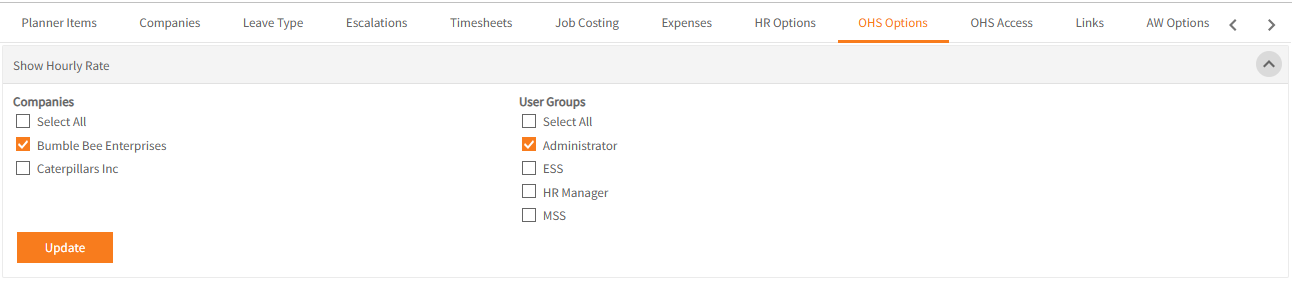
Show Hourly Rate
This applies to the display of Hourly Rates within Audits only in Employee Self-Service Kiosk.
Companies
- Tick Select All if Hourly Rates for all companies should be viewable within Audits.
- Alternatively, specify restrictions by ticking those Companies which should have access.
Note: If you are going to specify restrictions based on User Groups, you must first have companies selected (either Select All, or a specific company).
User Groups
- Tick Select All if Hourly Rates for all User Groups should be viewable within Audits.
- Alternatively, specify restrictions by ticking those User Groups who should have access.
OHS Incicdents grid view
Companies
- Tick Select All if Incidents grid view for all companies should be viewable within Audits.
- Alternatively, specify restrictions by ticking those Companies which should view the Incidents grid.
User Groups
- Tick Select All if Incidents grid view for all User Groups should be viewable within Audits.
- Alternatively, specify restrictions by ticking those User Groups who should view the Incidents grid.
Hide the following columns
- Tick the column names you do not want to appear on the Incidents grid view.

OHS Alerts
The creation of new Hazards and new Incidents in Employee Self-Service Kiosk may be set to generate email alerts.
The recipients of the alerts are specified here.
- Click Add New each time a new recipient is required.
- Specify if the recipient should receive Incident and/or Hazard notifications.
- Base this recipient set-up on either a Person or Position.
Search for the required name or position. - Location is mandatory. Use this option to restrict the alerts to those from a specific location.
- By default the recipient will receive notifications for the Company > Location you have specified.
Tick Show All if you want them to receive notifications from all child locations within the specific location.
For example:
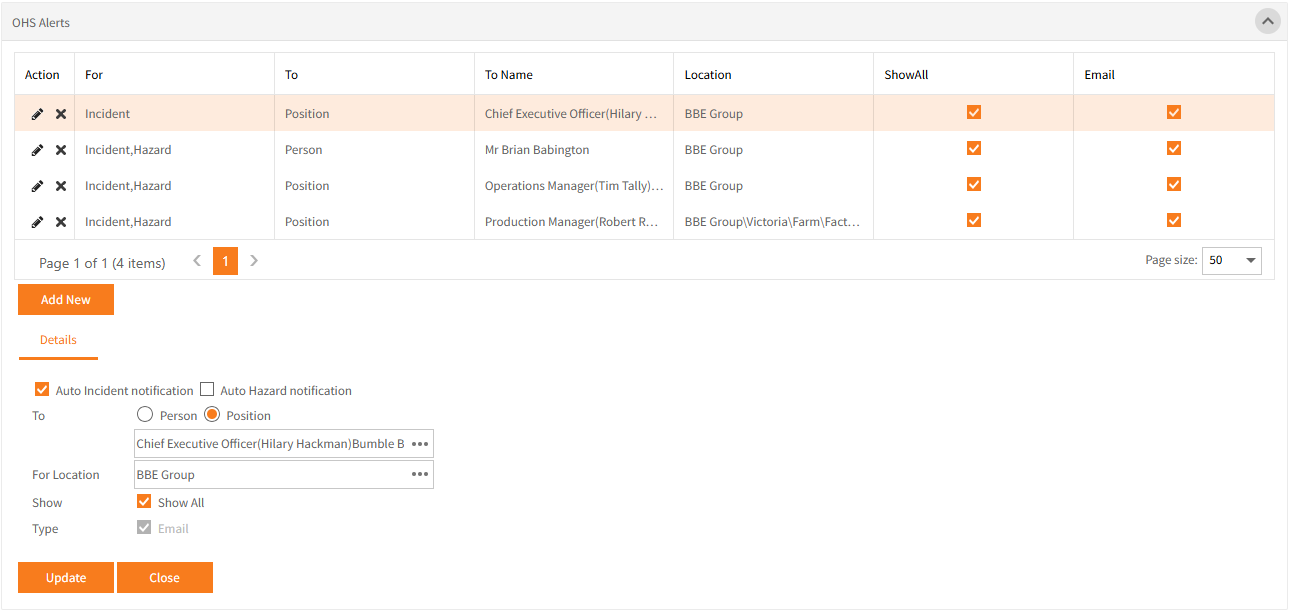
The first highlighted entry will send alerts for Incidents and Hazards for every location for the CEO.
In comparison, the Production Manager will only be sent alerts for the BBE Group\Victoria\farm\Factory location
OHS Access
OHS Access allows restrictions on what people (or incumbents of positions) can see within OHS in Employee Self-Service Kiosk.
Tick the box to activate the OHS Access settings which has it's own tab in System Options..

Return to Admin Menu